
Schedule Monitoring
Why Schedule Monitoring?
Section titled “Why Schedule Monitoring?”Issues on your website do not wait for business hours. A broken checkout flow, an expired SSL certificate, or a slow-loading page can go unnoticed for hours - costing revenue, trust, and search rankings.
Scheduled monitoring ensures your tests run continuously, around the clock, without anyone having to trigger them manually. Problems are caught the moment they appear, and your team is notified immediately so they can respond before users are affected.
Whether you need to verify availability every minute or run a full end-to-end scenario once a day, scheduling turns your tests into an always-on safety net for your application.
How It Works
Section titled “How It Works”Every test in TestCLIX can run on a recurring schedule or be executed manually on demand. When a schedule is active, the platform automatically triggers the test at the configured interval and reports results.
Scheduling is managed per test. You choose a frequency when you create the test, and you can change it at any time.
Schedule Slots
Section titled “Schedule Slots”Each scheduled test consumes a slot from your subscription plan. Slots come in two product groups, and each group serves different test types:
- Visual Monitoring slots power Website Scenario and Website Vitals tests. They are purchased individually, one slot per frequency.
- Availability Testing slots power Website Availability tests. They are sold in packs of 10 slots.
A slot is tied to a specific frequency - for example, a Visual Monitoring every 5 Minutes slot can only schedule a test that runs every 5 minutes.
To check how many slots are in use and how many remain, open Packet usage in the right sidebar menu.
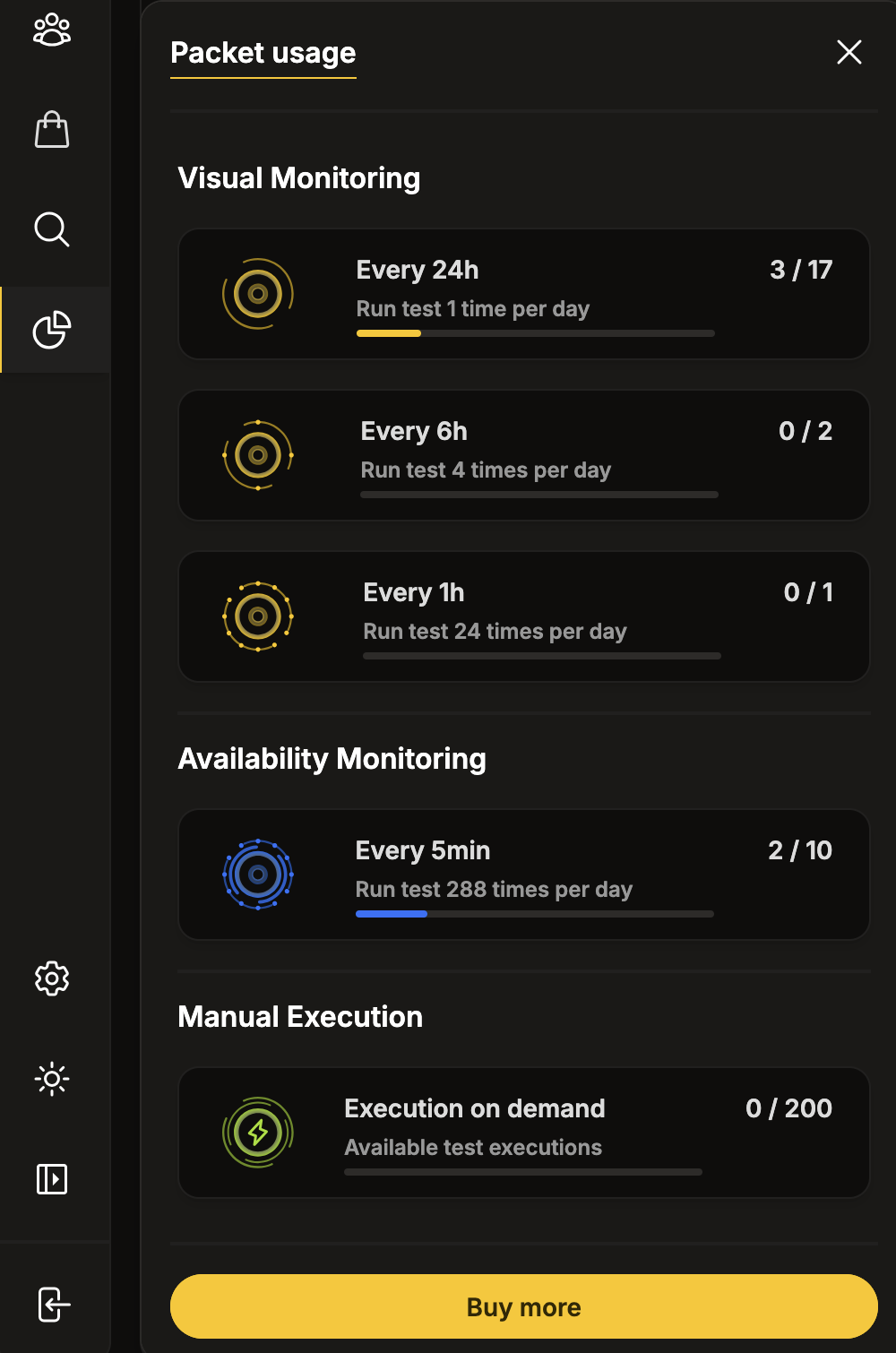
When you change a test’s schedule, the old slot is released and a new one is consumed. Setting a test to Do not schedule frees the slot entirely.
Available Frequencies
Section titled “Available Frequencies”The frequencies available depend on the slot group your test type uses.
Visual Monitoring - Website Scenario & Website Vitals
Section titled “Visual Monitoring - Website Scenario & Website Vitals”| Frequency | Interval |
|---|---|
| Every 5 min | Runs every 5 minutes |
| Every 10 min | Runs every 10 minutes |
| Every 15 min | Runs every 15 minutes |
| Every 1 hour | Runs every 60 minutes |
| Every 6 hours | Runs every 6 hours |
| Every 24 hours | Runs once per day (see Daily Run Times) |
| Do not schedule | No automatic execution |
A Website Scenario test can use any of these frequencies.
A Website Vitals test always runs once per day, so it consumes an every 24 hours slot - the same slot type used by daily Website Scenario tests. One purchased daily slot can therefore schedule either a daily Scenario or a Vitals test.
Availability Testing - Website Availability
Section titled “Availability Testing - Website Availability”| Frequency | Interval |
|---|---|
| Every 1 min | Runs every minute |
| Every 5 min | Runs every 5 minutes |
| Every 6 hours | Runs every 6 hours |
| Every 24 hours | Runs once per day (see Daily Run Times) |
| Do not schedule | No automatic execution |
Daily Run Times
Section titled “Daily Run Times”Tests scheduled with a daily (every 24 hours) frequency run at 08:00 UTC by default.
You can customize this when creating or editing the test:
- Pick the run time for each day of the week, in 15-minute steps.
- Enable or disable individual weekdays - for example, run only Monday through Friday.
Times are displayed in the local timezone of the test’s execution location, and the dialog offers a next runs preview so you can verify the resulting schedule before saving.
Manual Execution
Section titled “Manual Execution”Any test can be executed on demand regardless of its schedule setting. Manual executions are subject to a separate execution limit defined by your subscription.
You can trigger manual runs from the TestCLIX dashboard or via the API.
Exceeded Subscription Limits
Section titled “Exceeded Subscription Limits”The platform may automatically disable a scheduled test if the number of scheduled tests exceeds your available slots. This can happen when a subscription expires or is canceled.
All affected tests will remain disabled until a new plan is purchased to cover the missing slots or the number of scheduled tests is reduced to fit the current plan.
Execution Location
Section titled “Execution Location”Each test runs from a configured execution location (region). The default location is Frankfurt.
You can change the execution location per test to monitor your application from different geographic regions.