
Page Structure Flexibility
Introduction
Section titled “Introduction”Page Structure Flexibility is an advanced option for Website Scenario tests. It controls whether TestCLIX validates DOM structure (XPath) during recorded interactions such as clicks.
This setting should be chosen based on how your website is built and how often the page layout changes.
How It Works
Section titled “How It Works”By default, TestCLIX records and uses element-level information (XPath) for click actions. This helps confirm that the click happened on the intended element and helps detect DOM structure changes that can break your flow.
When you enable Ignore page structure, XPath validation is turned off. In that mode, click actions are performed based on screen coordinates (X and Y), without strict element identity checks.
When To Enable Ignore Page Structure
Section titled “When To Enable Ignore Page Structure”You may want to enable this option for highly dynamic frontends, for example:
- React
- Next.js
- Vue
- Nuxt
- Angular
- Svelte / SvelteKit
These frameworks can frequently re-render components, generate dynamic attributes, or change DOM hierarchy between runs, which can make strict XPath checks too sensitive.
Trade-offs and Risks
Section titled “Trade-offs and Risks”When structure checking is disabled:
- Clicks can still execute using coordinates.
- Validation confidence is lower because TestCLIX cannot fully verify element identity.
- Tests may return Pass even when user-intent validation is weak.
If you disable page structure checks and do not add any other validation method, you increase the chance of false positives.
Recommended Additional Checks
Section titled “Recommended Additional Checks”If Ignore page structure is enabled, add extra verification layers in your scenario:
- AI checker
- Screen checker
- Pixel Comparison
These checks help verify that the page state and visual output are correct, even when XPath checks are not used.
Configuration
Section titled “Configuration”-
Navigate to Workspace using the left sidebar menu.
-
Click the Create button on the right side.
-
Select Web Scenario.
-
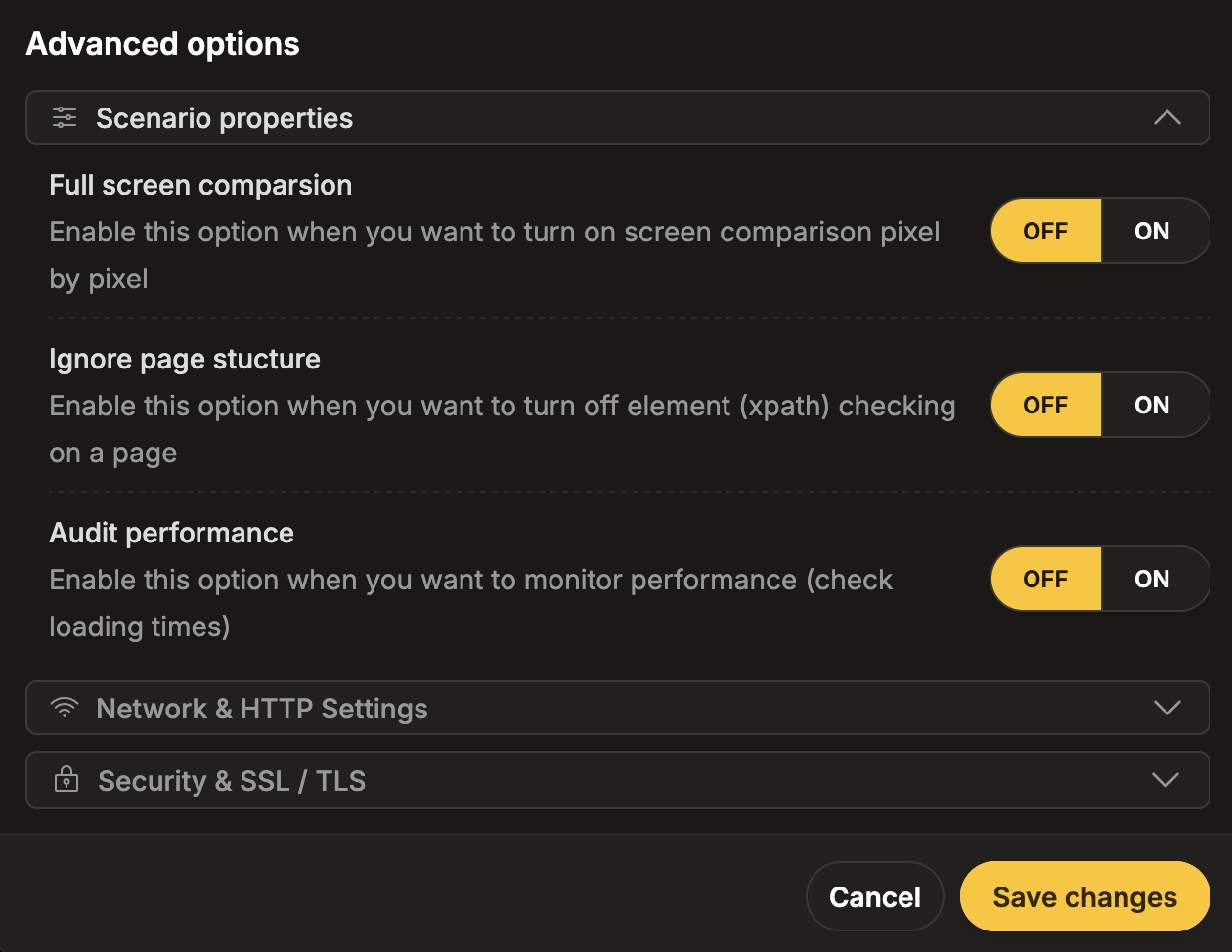
Scroll down to the Advanced options section.
-
Expand the Scenario properties subsection.
-
Set Ignore page structure:
- Keep it OFF for stricter XPath-based monitoring.
- Set it to ON for dynamic websites where DOM structure changes frequently.
-
Navigate to Workspace using the left sidebar menu.
-
Locate the test you want to modify.
-
Open the test settings using one of the following methods:
- On the overview page, click the pencil icon next to the Options section.
- On any page, click the three-dot menu and select Edit scenario properties.
-
Scroll down to the Advanced options section.
-
Expand the Scenario properties subsection.
-
Update Ignore page structure based on your scenario stability and validation strategy.
Best Practice
Section titled “Best Practice”For critical monitoring flows:
- Prefer keeping Ignore page structure OFF whenever possible.
- If set to ON, always pair it with at least one content/visual assertion (AI checker, screen checker, or Pixel Comparison).