Webhooks
Introduction
Section titled “Introduction”Webhook allows TestCLIX to send real-time notifications to your system whenever a scenario run finishes.
Instead of manually checking results, you can automatically trigger workflows such as:
- CI/CD deployments
- Monitoring and alerting
- Reporting pipelines
- Custom integrations
Webhook is delivered as an HTTP POST request containing a JSON payload with execution details.
Webhook events are triggered when scenario test run results are available.
Configuration
Section titled “Configuration”You can enable and manage Webhook from the application Settings. Configuring it requires the Admin or Owner role in the current project - see Roles & Permissions.
-
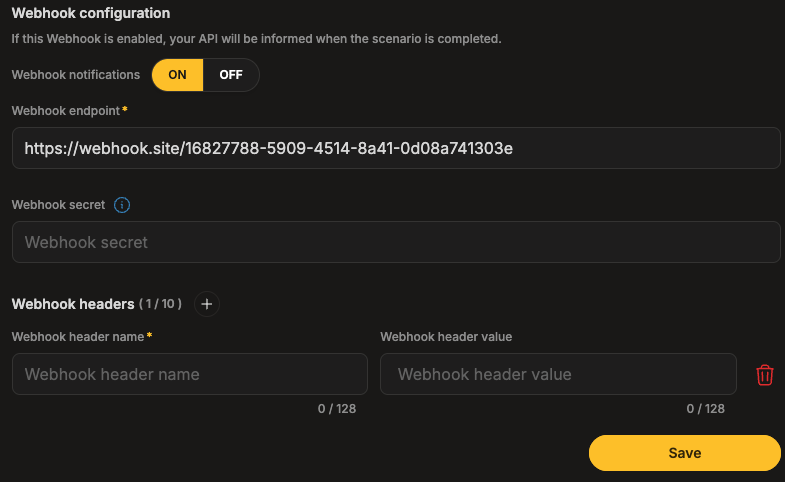
Open Settings from the left sidebar menu.
-
Select Webhook.
-
Turn Webhook notifications ON.
-
Enter your Webhook endpoint URL.
-
(Optional) Configure a Webhook secret for request verification.
-
(Optional) Add up to 10 custom headers.
-
Click Save to apply your changes.
Webhook Request Format
Section titled “Webhook Request Format”Webhook requests are sent as HTTP POST calls.
Request Example
Section titled “Request Example”POST /webhooks/testclix HTTP/1.1Host: your-endpoint.comContent-Type: application/jsonX-Clix-Signature: a1b2c3d4e5f6...Webhook Payload
Section titled “Webhook Payload”Webhook request contains a JSON payload describing the completed scenario run.
Payload Fields
Section titled “Payload Fields”| Field | Type | Description |
|---|---|---|
test_id | string | Unique identifier of the scenario run |
status | string | Result: Pass or Error |
timestamp | number | Unix timestamp of the event |
created_at | string | Scenario start time in ISO format |
Example Payload
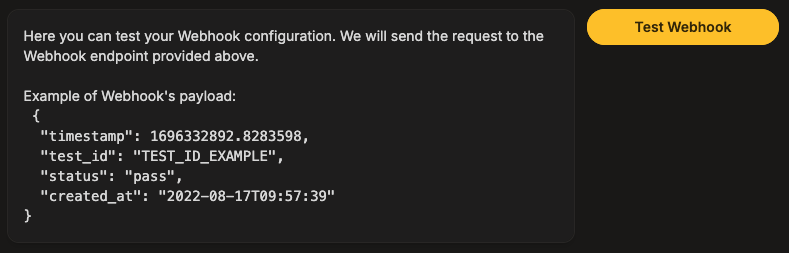
Section titled “Example Payload”{ "timestamp": 1696332892.123456, "test_id": "TEST_ID_EXAMPLE", "status": "pass", "created_at": "2022-08-17T09:57:39Z"}Webhook Secret & Signature Verification
Section titled “Webhook Secret & Signature Verification”To verify that Webhook requests originate from TestCLIX, you can configure a Webhook secret.
When a secret is enabled, Webhook request includes the following header:
X-Clix-SignatureHow the Signature Works
Section titled “How the Signature Works”The signature is generated using:
- HMAC-SHA1
- Your configured Webhook secret
- The raw JSON request payload
This allows your server to confirm that the request was sent by TestCLIX and was not modified by a third party.
Signature Format
Section titled “Signature Format”The signature is sent in the request header using the following format:
X-Clix-Signature: <signature>Retry Behavior
Section titled “Retry Behavior”If your endpoint does not respond with a 200 OK status, TestCLIX will automatically retry the webhook delivery up to 3 times.
Test Your Webhook
Section titled “Test Your Webhook”Send a test payload to validate configuration:
-
Click the Test Webhook button.
-
Verify reception at your endpoint.
-
Check signature validation.
-
Confirm with 200 OK response.