

Secrets
Introduction
Section titled “Introduction”Secrets are reusable values stored in your TestCLIX project, so you can reference them from tests instead of typing sensitive values in plain text.
A secret is defined once in project settings and then referenced wherever a value is needed - an extra header (see the extra headers page of each test type), an Insert secret step in the recorder, or an OATH key.
This is useful when you want to:
- keep API tokens, bot-management values, and login credentials out of test configuration
- reuse the same value across several tests without copying it
- rotate a value in one place instead of editing every test that uses it
This guide explains:
- What a secret is and how it is stored
- What the limits are
- Who can create and change secrets
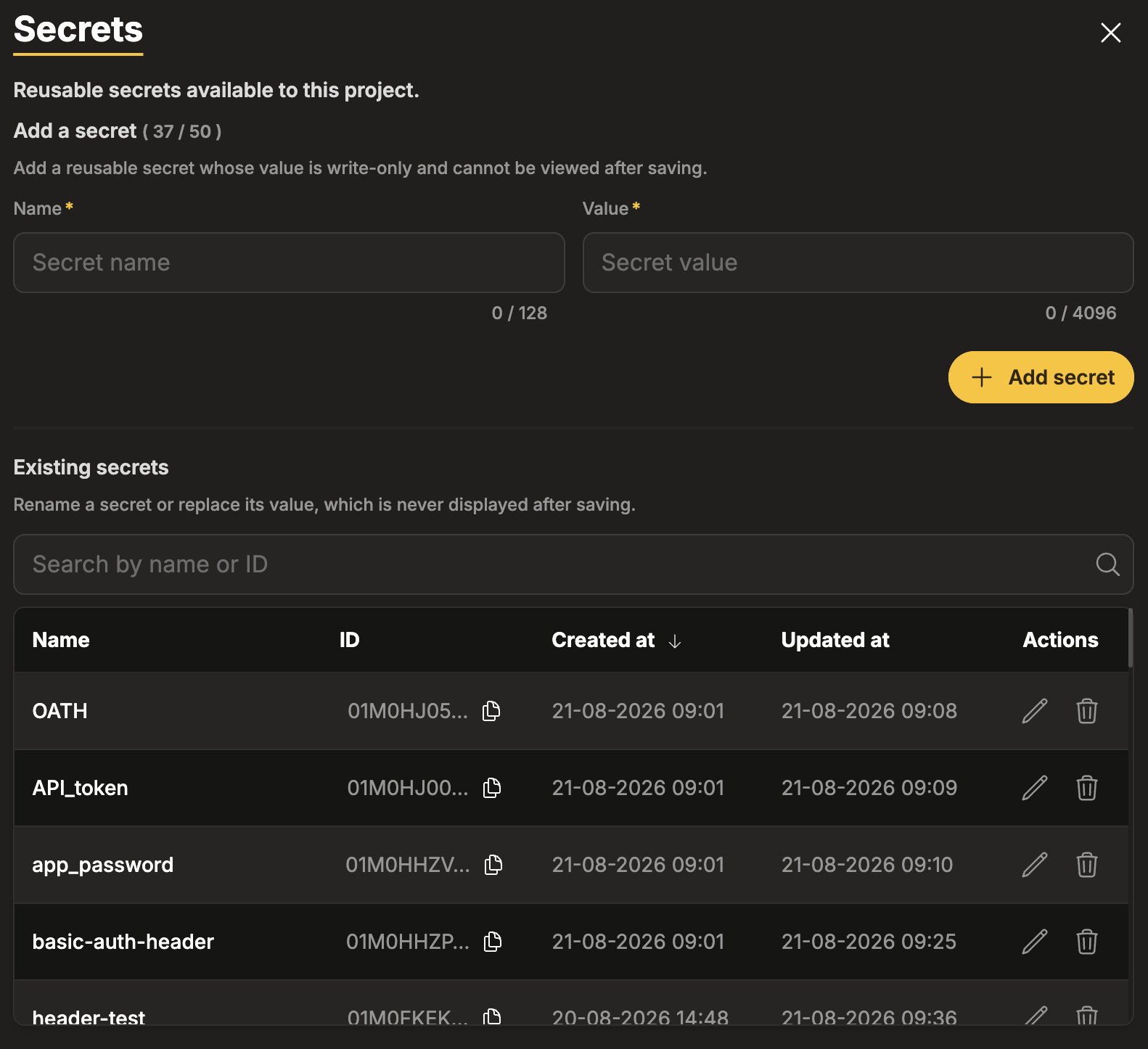
How It Works
Section titled “How It Works”Secrets are project-scoped. They belong to the project you are currently working in, and they are available to every test and recording in that project.
Each secret has:
- a Name - up to 128 characters, used to identify the secret when you pick it
- a Value - between 1 and 4096 characters, the actual value that is used at run time
When a test runs, TestCLIX resolves the reference to its stored value on the server and uses it in the request or the recorded step. The value itself is never shown in the portal.
What You Can Use Secrets For
Section titled “What You Can Use Secrets For”| Where | What it does |
|---|---|
| Extra headers | A header value’s source can be Secret instead of Text. See Website Scenario, Website Availability, Website Vitals. Available in Add Scenario, Edit Scenario, Add Website Availability, Edit Website Availability, Add Website Vitals, and Edit Website Vitals. |
| Insert secret | A recorder action that types the value of a stored secret into the focused field. Stored secrets only - there is no Text option. |
| Authentication (OATH) | The OATH key’s source can be Secret instead of Text. |
Limits
Section titled “Limits”Each project can store 50 secrets. The Add a secret heading on the Secrets tab carries a counter - for example Add a secret ( 24 / 50 ) - so you can see how much room is left.
When the project is full, the add controls are unavailable and the following message is shown:
“Maximum of 50 secrets reached. Delete a secret to add a new one.”
To make room, delete a secret you no longer use.
Permissions
Section titled “Permissions”Viewing the Secrets tab and the names of stored secrets requires the Viewer role or higher. Adding, renaming, replacing a value, and deleting all require the Editor role or higher.
For a Viewer, the controls are shown but locked, following the usual blocked action behaviour - grayed out, with a lock icon and a tooltip. You can still reference existing secrets in tests you are allowed to edit; you just cannot create or change the secrets themselves.
If you need to add a secret and cannot, ask your project Owner or Admin.
Next Steps
Section titled “Next Steps”Can I see the value of a secret I saved earlier?
No.
The value is write-only and is never displayed again after saving. If you no longer know the value, replace it with a new one.
Do secrets work across projects?
Secrets are scoped to a single project. A secret created in one project is available only to tests and recordings in that project.
What happens to my tests if I delete a secret?
The references remain and become invalid. Tests that use the deleted secret cannot be saved until the reference is fixed, and existing tests report a Deleted secret warning. See Troubleshooting.
Why can’t I add a secret?
Either your role is below Editor, or the project has reached the limit of 50 secrets. Check the counter on the Add a secret heading.